

On-demand training
Explore a growing catalog of courses added on a regular basis so teams can keep building knowledge when their schedule allows.
Build product knowledge, complete training, and access learning paths for your role.
Register first, or choose the login path that matches your account.
Review sign-up help, common questions, or support options.
Husqvarna Construction University is the Experience Center’s digital learning destination for product and technical eLearning, hands-on training preparation, certifications, badges and skill-building resources for professionals at every level. Learners can track progress and move through a growing catalog of courses added on a regular basis.
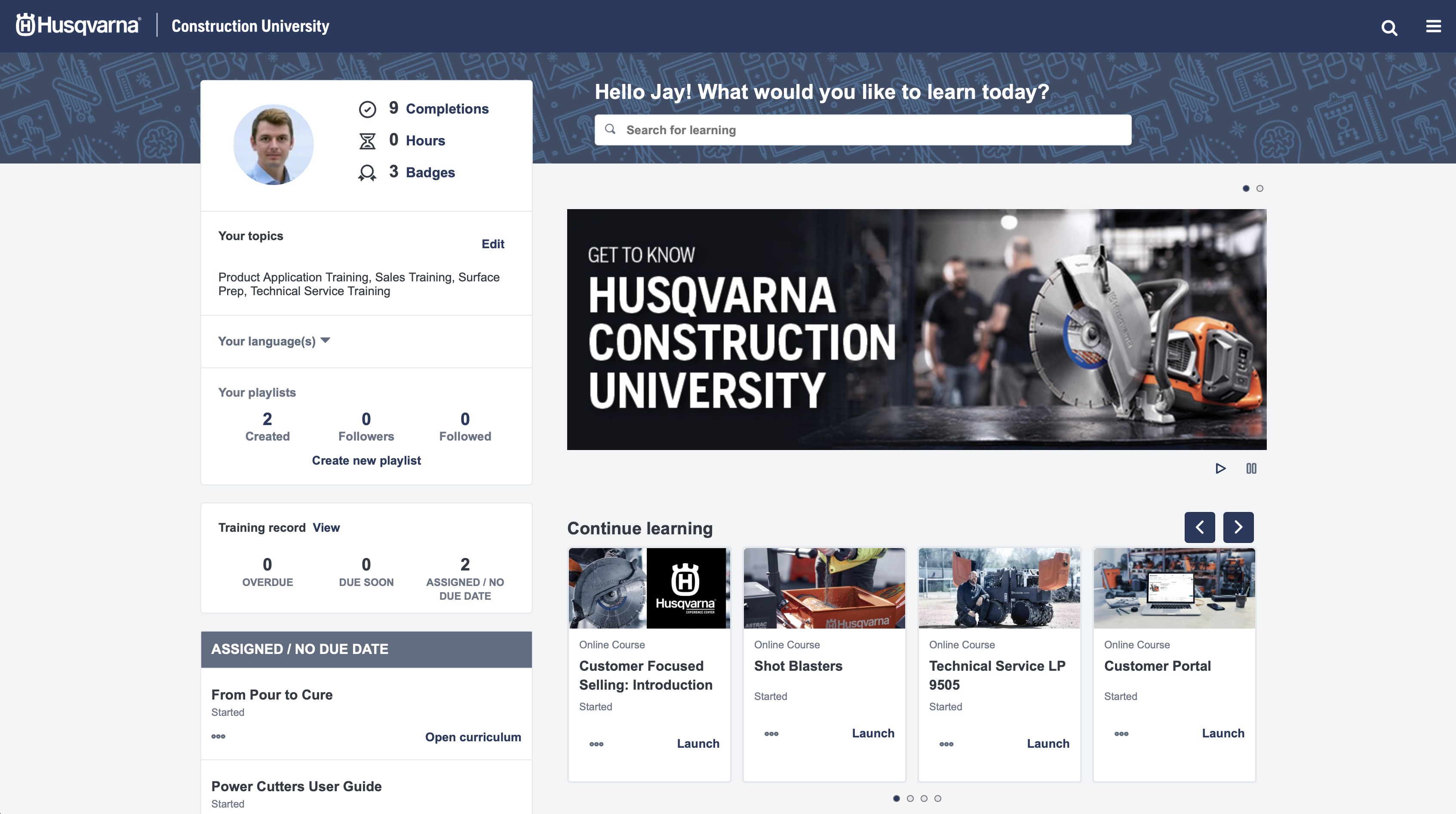
HCU gives distribution partners, contractors, technical professionals and sales teams access to digital learning that supports product knowledge, application training, equipment operation and technical development in one place.
It brings the Experience Center into a more accessible format by making engaging learning available anywhere there is an internet connection, while still aligning to the same hands-on training mission and real-world equipment use.
HCU combines interactive digital learning, product and application training, badges, certifications and flexible access in one structured environment.
Explore a growing catalog of courses added on a regular basis so teams can keep building knowledge when their schedule allows.
Explore engaging digital training that makes learning easier to apply in the field.
Move into product learning that helps professionals understand Husqvarna Construction equipment, solutions and category-level capabilities more clearly.
Learn the fundamentals of equipment operation in a format that supports readiness before, during and after hands-on training.
Learners can earn badges, pursue certifications and track their progress as they continue building skills over time.
Training is available to channel and direct partners anywhere there is an internet connection, making it easier to keep learning moving.
Use HCU to move through courses at your own pace while still following structured learning paths tied to real equipment and applications.
HCU supports multiple audiences across the Experience Center ecosystem by making role-relevant learning easier to access and easier to continue.
Use HCU to strengthen product knowledge, applications understanding and sales-readiness across Husqvarna Construction offerings.
Build knowledge around operation, applications, techniques and equipment use in a flexible digital format that supports the work in front of you.
Move into technical learning aligned to service, maintenance, troubleshooting, repairs and product documentation for specific equipment lines.
Support customer-facing teams with product, application and solution learning that is easier to access and easier to revisit over time.
Use HCU for digital learning that stays tied to real equipment knowledge, application context and technical development.
With over 325 years of innovation and passion, Husqvarna provides construction professionals with support, service and a wide range of machines, diamond tools and accessories needed to cut, saw, drill, demolish, grind and polish concrete. HCU brings that same commitment to usability, safety and performance into a digital training format.
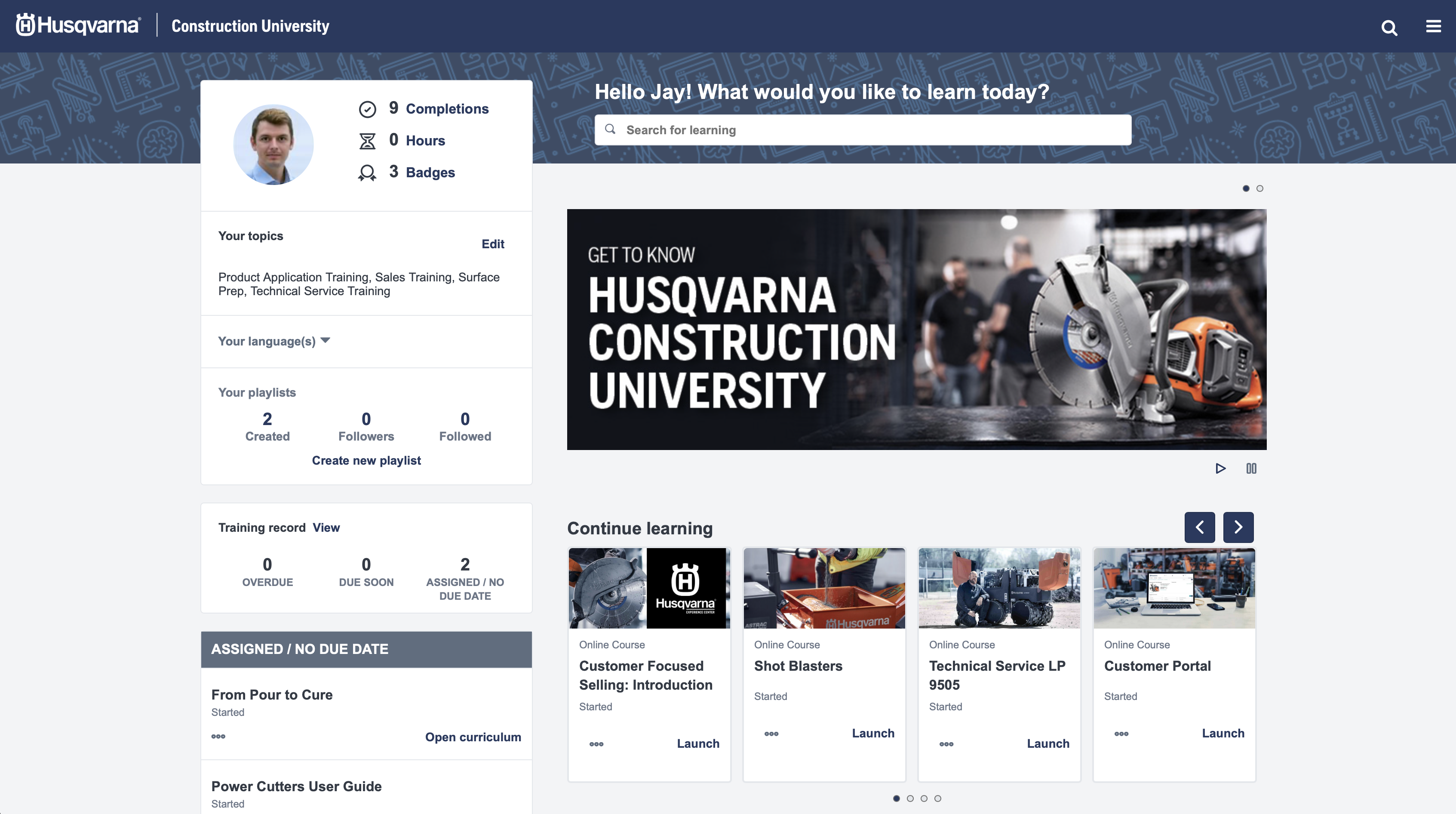
HCU helps learners move from course participation into visible skills progression by combining badges, certifications and progress tracking in one place.
Registration and login instructions vary by customer type, so use the route below that best matches your current setup.
Start with the right route based on whether you are signing up for the first time, using Husqvarna MyPages Construction or creating D-User access with your company account.
Once access is ready, move into HCU to explore product knowledge, application training, technical learning, badges and certifications.
Continue through self-paced digital learning, build your training history and return whenever you need the next course or next step.
Customers without a D-Number can register and log in through Husqvarna MyPages Construction. Create your account, wait for the approval confirmation email, then log in and select My Services > HCU from the top-right menu.
Customers with a D-Number should begin in the Husqvarna Construction Customer Portal. Use the company account details tied to your distributor access, complete your registration, and return to HCU after your account is ready.
Use HCU to explore product and technical learning, build certifications and badges, and keep knowledge accessible wherever your team needs it.
