
Practical answers for HCU access, setup, teams and support.
Use this screen for the most common HCU questions around registration, account types, regional coverage, custom learning paths and team support.
Use this screen for the most common HCU questions around registration, account types, regional coverage, custom learning paths and team support.
The key HCU details most learners ask first.
HCU access is free for supported users in the US and Canada.
This HCU support path is for learners in the US and Canada.
Employees should register through the internal IT Service Portal instead of the public path.
Contact Support for groups, progress tracking help and custom learning-path questions.
Find the right access type, understand the starting point, and move into the correct registration path.
Yes. HCU is 100% free.
D-Users access HCU through a company-managed Husqvarna distribution account. End Users access HCU as individual customers, contractors or learners who are not using a company-managed D-Account.
If your access is tied to a company Husqvarna distribution account, you are likely a D-User. If you are registering as an individual learner, you are likely an End User. Visit the HCU How-To page if you want help choosing the right starting point.
Start with the HCU How-To page if you need help choosing the correct access path. If you are ready to browse learning, go directly to HCU.
Find help with D-Numbers, employee registration, and access questions when the right content is not showing.
If you do not know your D-Number, contact Customer Solutions, your Husqvarna DM, or your company admin for Husqvarna accounts.
If you are an employee, you must register via the IT Service Portal.
If the content available to you does not look correct for your role or region, contact support so the team can help confirm your access type and routing.
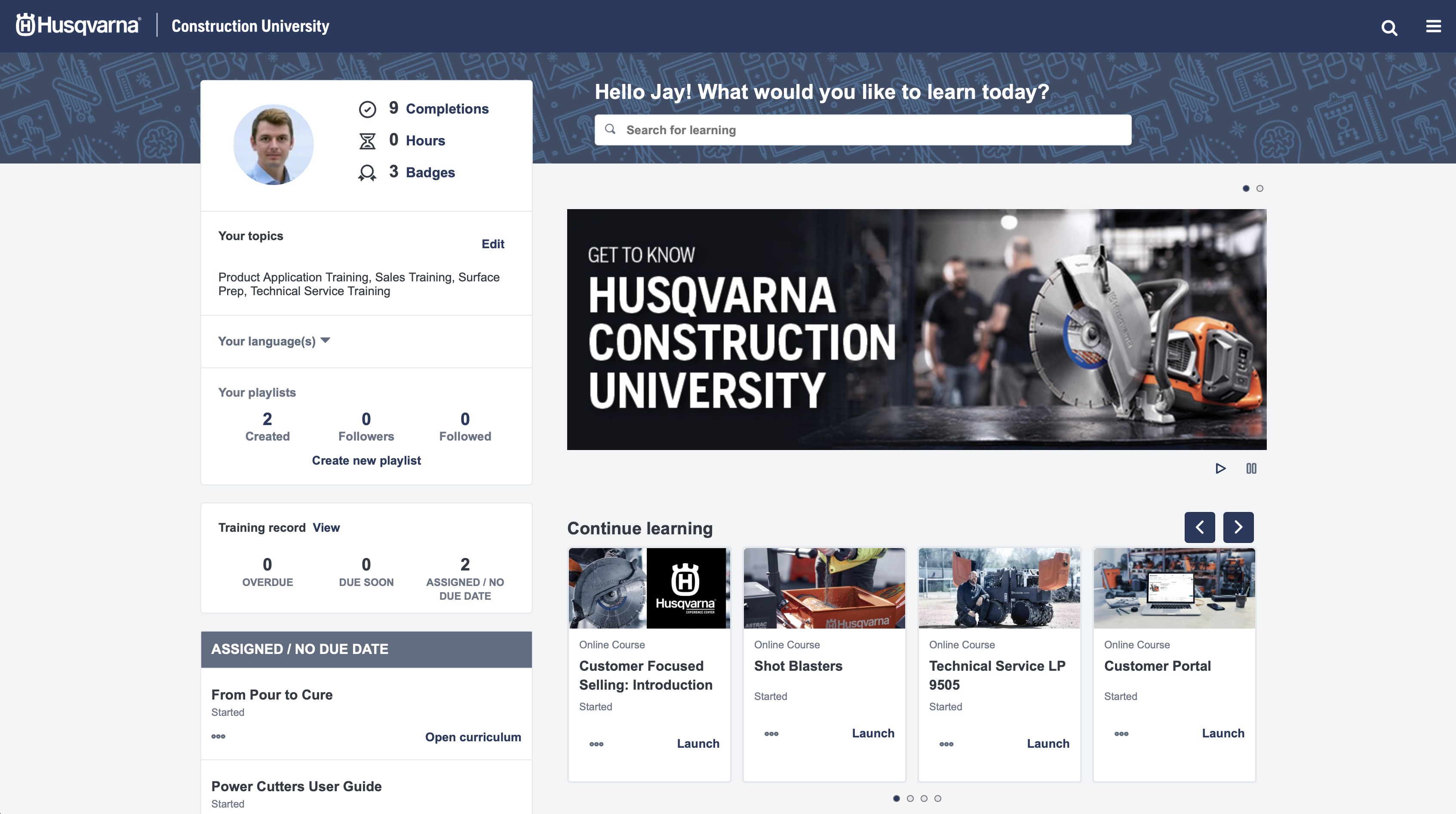
HCU includes product and technical eLearning, certifications, badges and a growing catalog of training resources you can work through at your own pace.
Find answers about self-paced learning, custom learning paths, groups and progress tracking support.
Yes. You can move through HCU courses on your own schedule.
Yes. If you need a custom learning path, contact support.
If a team wants to register quickly and easily, contact support to form a group.
Yes. If your team needs help tracking completions or progress, contact support.
Check supported regions, course updates and the best next step if you are outside North America.
This site supports the US and Canada.
If you are outside North America, visit your regional site at husqvarnaconstruction.com for eLearning resources available to you.
Yes. New courses are released consistently throughout the year.
For help with access, groups, tracking or team-level support, contact support.
Open HCU How-To for access guidance, go directly into HCU, or contact support when teams need help with groups and progress.
Get answers about access types, registration, employee setup, regional support, custom learning paths, groups and progress tracking for Husqvarna Construction University.
HCU access is free for supported users in the US and Canada.
This HCU support path is for learners in the US and Canada.
Employees should register through the internal IT Service Portal instead of the public path.
Contact Support for groups, progress tracking help and custom learning-path questions.
Find the right access type, understand the starting point, and move into the correct registration path.
Yes. HCU is 100% free.
D-Users access HCU through a company-managed Husqvarna distribution account. End Users access HCU as individual customers, contractors or learners who are not using a company-managed D-Account.
If your access is tied to a company Husqvarna distribution account, you are likely a D-User. If you are registering as an individual learner, you are likely an End User. Visit the HCU How-To page if you want help choosing the right starting point.
Start with the HCU How-To page if you need help choosing the correct access path. If you are ready to browse learning, go directly to HCU.
Find help with D-Numbers, employee registration, and access questions when the right content is not showing.
If you do not know your D-Number, contact Customer Solutions, your Husqvarna DM, or your company admin for Husqvarna accounts.
If you are an employee, you must register via the IT Service Portal.
If the content available to you does not look correct for your role or region, contact support so the team can help confirm your access type and routing.
HCU includes product and technical eLearning, certifications, badges and a growing catalog of training resources you can work through at your own pace.
Find answers about self-paced learning, custom learning paths, groups and progress tracking support.
Yes. You can move through HCU courses on your own schedule.
Yes. If you need a custom learning path, contact support.
If a team wants to register quickly and easily, contact support to form a group.
Yes. If your team needs help tracking completions or progress, contact support.
Check supported regions, course updates and the best next step if you are outside North America.
This site supports the US and Canada.
If you are outside North America, visit your regional site at husqvarnaconstruction.com for eLearning resources available to you.
Yes. New courses are released consistently throughout the year.
For help with access, groups, tracking or team-level support, contact support.
Use HCU How-To for access guidance, go directly into HCU, or contact Support if you need help with learners, groups or progress tracking.